How to open a large JSON file (1 GB, 2 GB, 5 GB)
Text editors and browsers try to load the whole file into RAM, so a multi-gigabyte JSON file freezes them. jsonreshape never does that: it indexes the file once — recording the byte offset of every record — and then reads only the records you actually look at. A 2 GB file is ready to browse in about 3 seconds.
Desktop app
- Install jsonreshape (see Installation) and run
jsonreshape-gui. - Choose File → Open, drag the file onto the window, or right-click the file in Windows and pick Open with → jsonreshape.
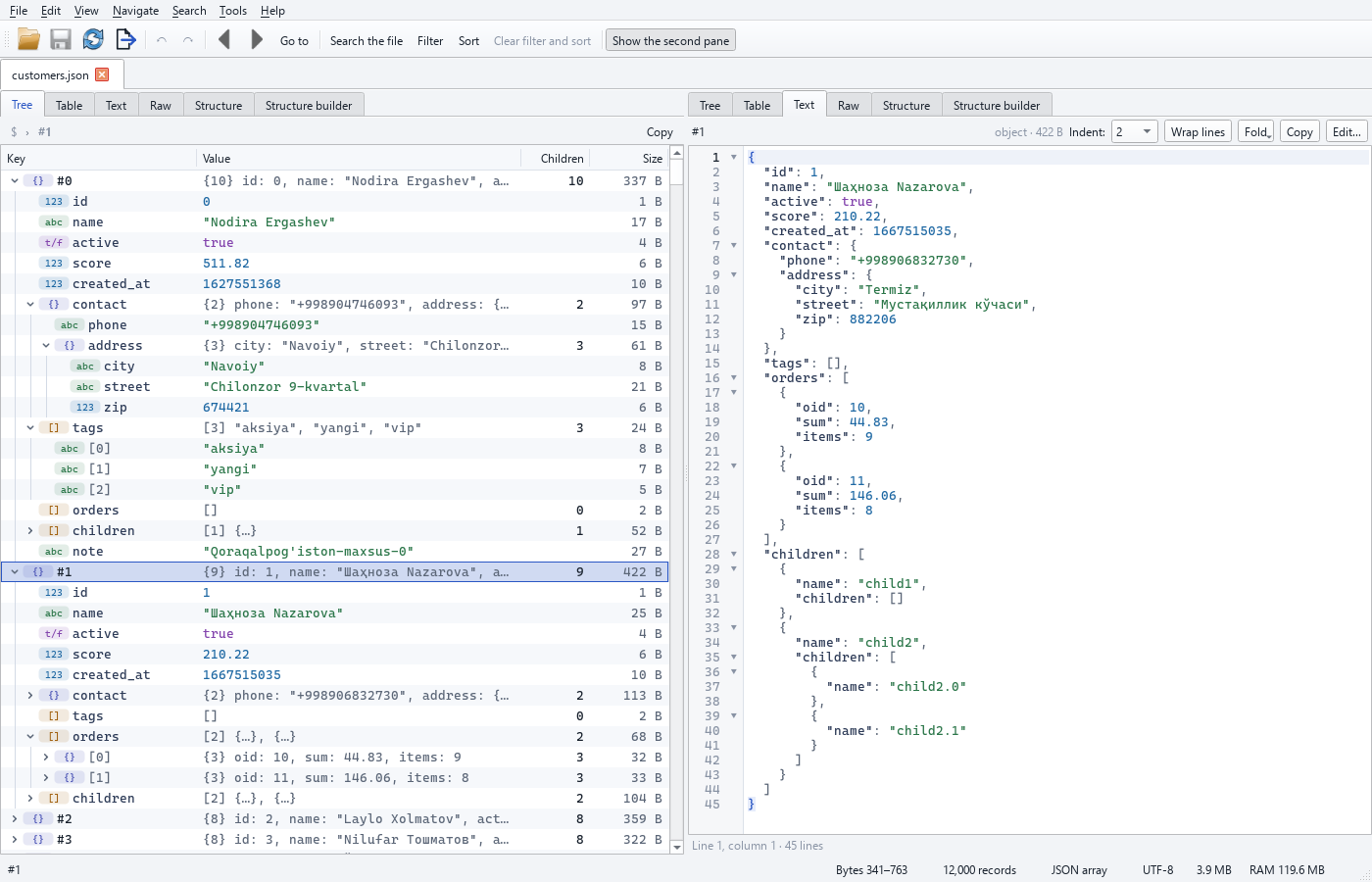
- Browse the tree on the left — every node shows its type and byte size — and the selected record is shown as formatted text on the right. Scrolling loads records on demand.
Command line
inspect reports the record count, the fields and their types, and size statistics, reading
only a sample. It can read from stdin too, so you can inspect a compressed stream without
unpacking it to disk:
What you can open
- JSON arrays (
[ {...}, {...} ]) and single large objects. - JSON Lines / NDJSON (
.jsonl,.ndjson) — one record per line. - Files from 100 MB to several GB. Memory grows with the number of records, not the file size, so it stays low — a 10-million-record sort peaks under 400 MB.