Opens files of any size
Only the visible part is read, through memory-mapped windows. Background work streams the rest, and network or USB drives fall back to cached chunked reads, so a slow disk never blocks the window.
1 GB, 10 GB, 50 GB and beyond — no freezing, no waiting.
BigText is a free, open-source desktop editor for log files, CSV exports, database dumps and any other file that is too big for ordinary editors. It never loads the whole file into memory: a 10 GB log opens in milliseconds and uses about 100 MB of RAM.
Windows · Linux · macOS · MIT license · Written in Rust
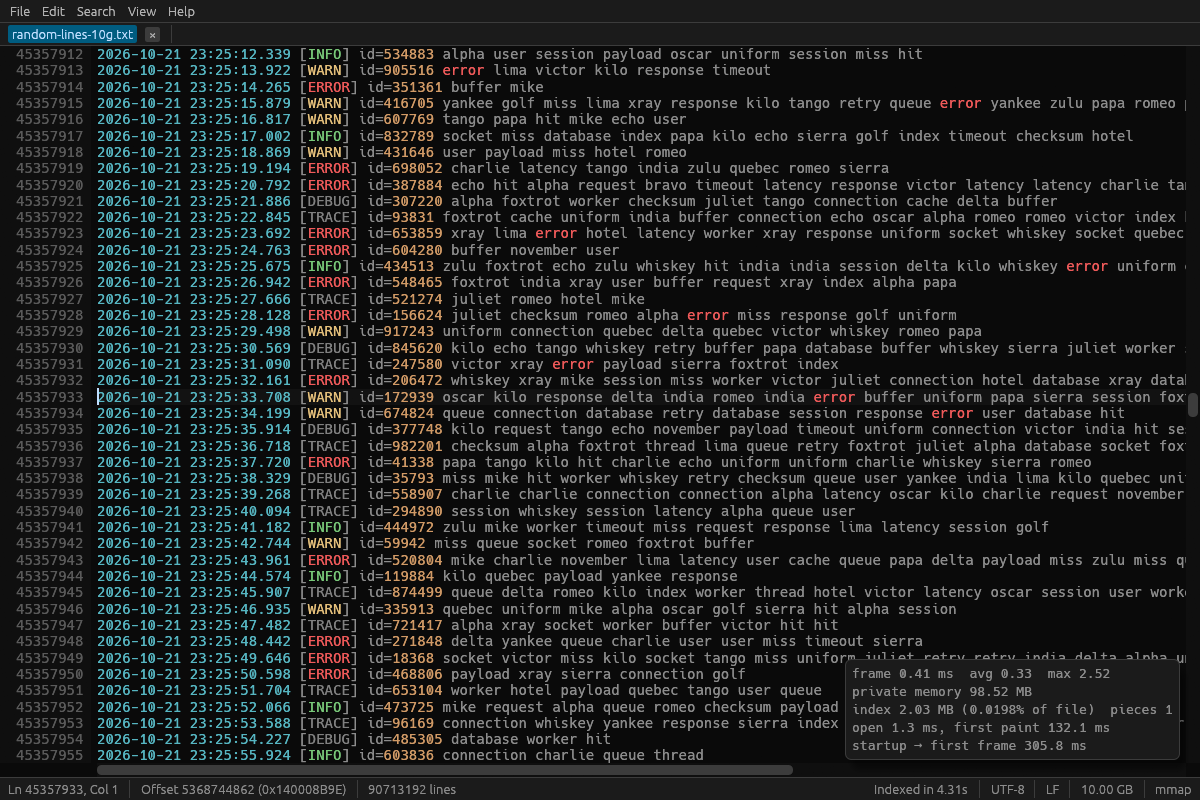
Made for logs, CSV and SQL dumps, JSON exports and any text file that makes other editors hang.
Only the visible part is read, through memory-mapped windows. Background work streams the rest, and network or USB drives fall back to cached chunked reads, so a slow disk never blocks the window.
A sparse line index (8 bytes per 64 KB) is built in the background at 2.5 GB/s. Go to line and the scrollbar work immediately, even before indexing finishes.
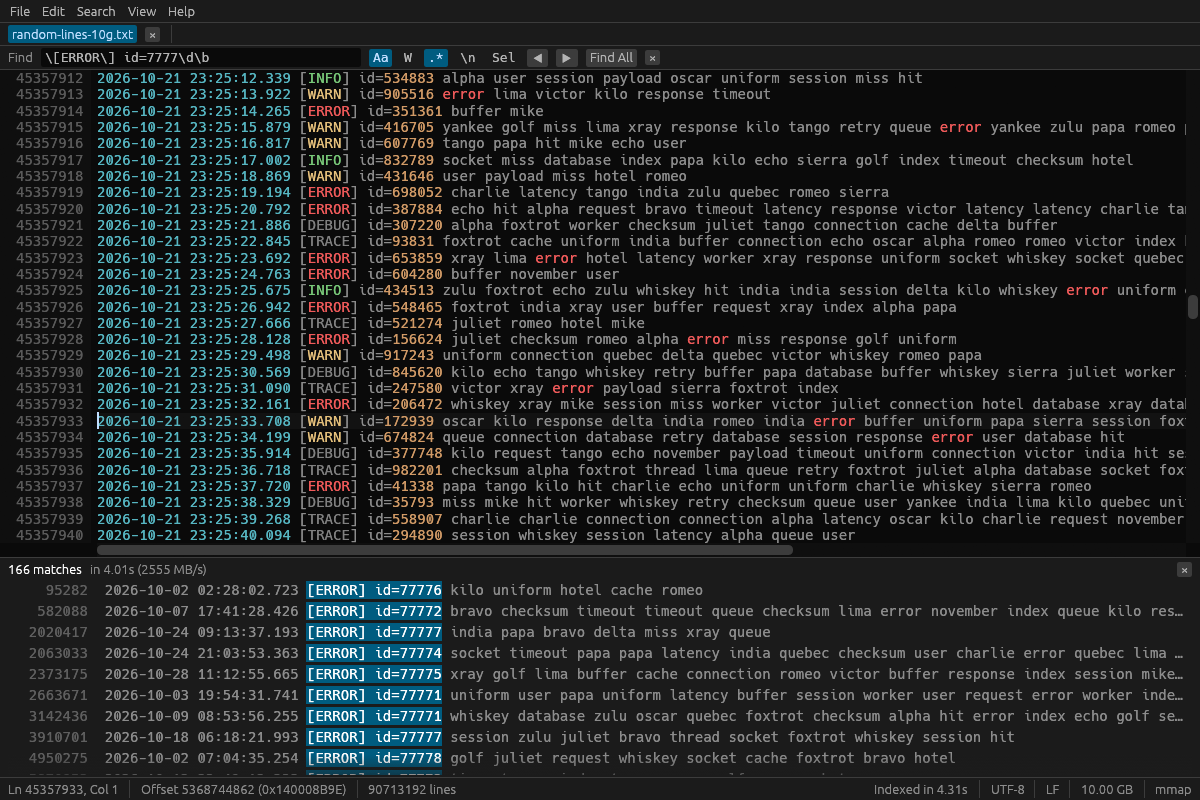
Plain text at 2.5 GB/s and linear-time regular expressions with case, whole-word and multiline options. Find All lists up to a million results; F3 works right away.
Replace with $1 and named groups. Up to 50,000 changes are one undoable edit; bigger jobs stream to a new file: 22 million replacements in a 10 GB file took 11 s and 46 MB of RAM.
Type, cut, copy, paste, undo and redo, duplicate or delete lines, auto-indent — on top of a piece table, so edits never rewrite the file until you save.
Saving writes a temporary file, flushes it to disk and atomically replaces the original. A crash or power cut never leaves a half-written file. Optional .bak backups.
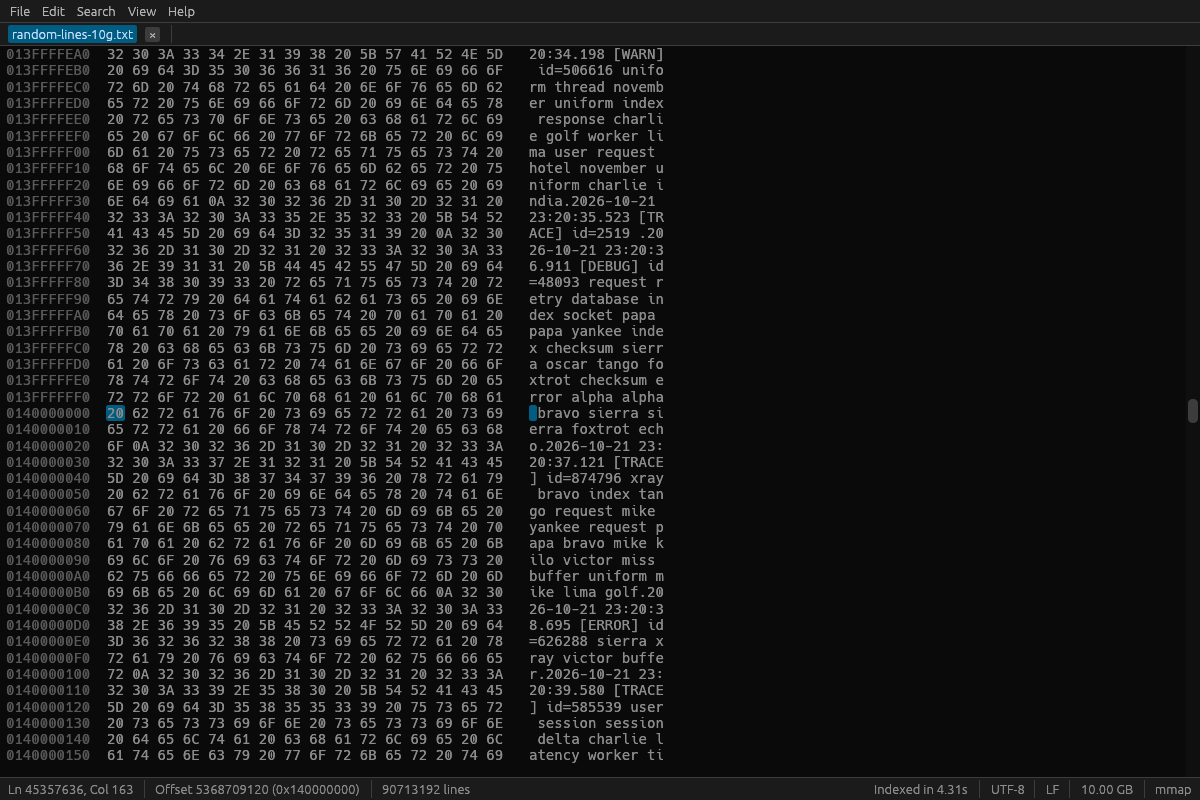
UTF-8, UTF-16 LE/BE, Windows-1251, Windows-1252 and ISO-8859-1 are detected automatically; LF, CRLF and CR line endings are kept or converted. Binary files open in a hex view.
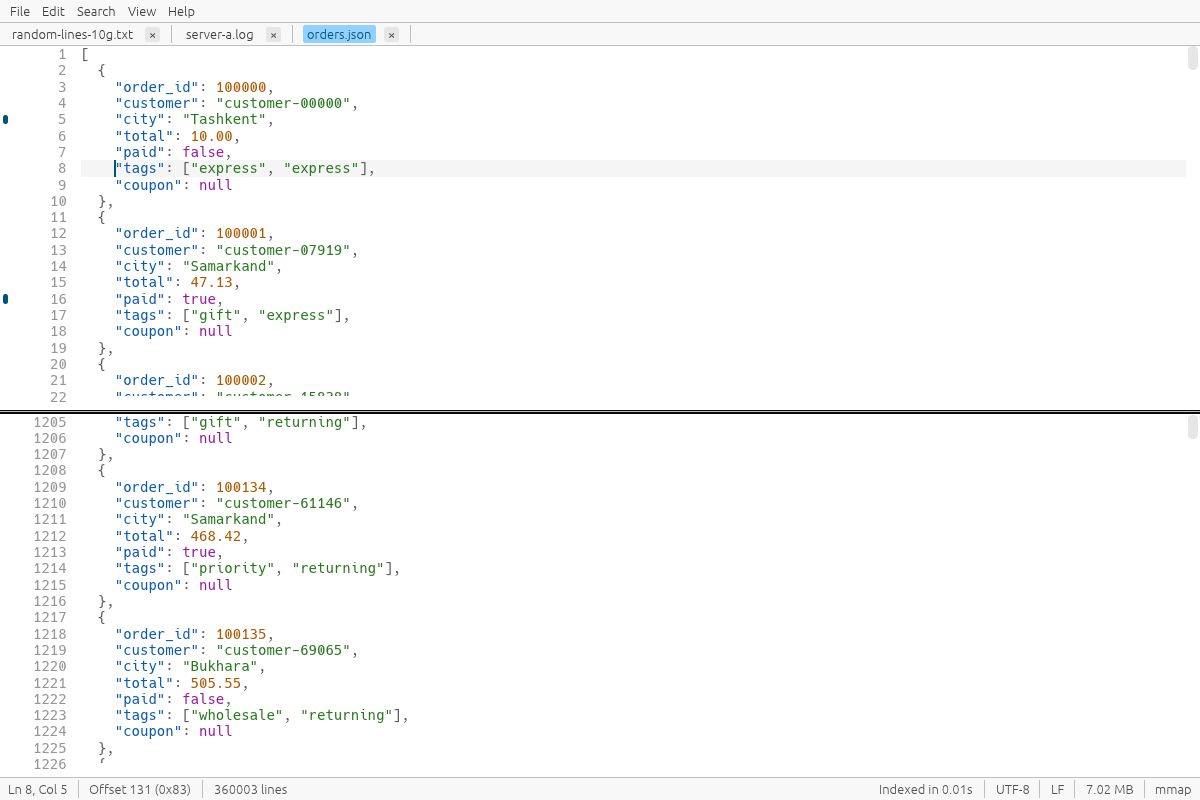
Follow mode (like tail -f) for growing logs, syntax highlighting for logs, JSON, XML, CSV, SQL and INI, bookmarks and a split view of one file.
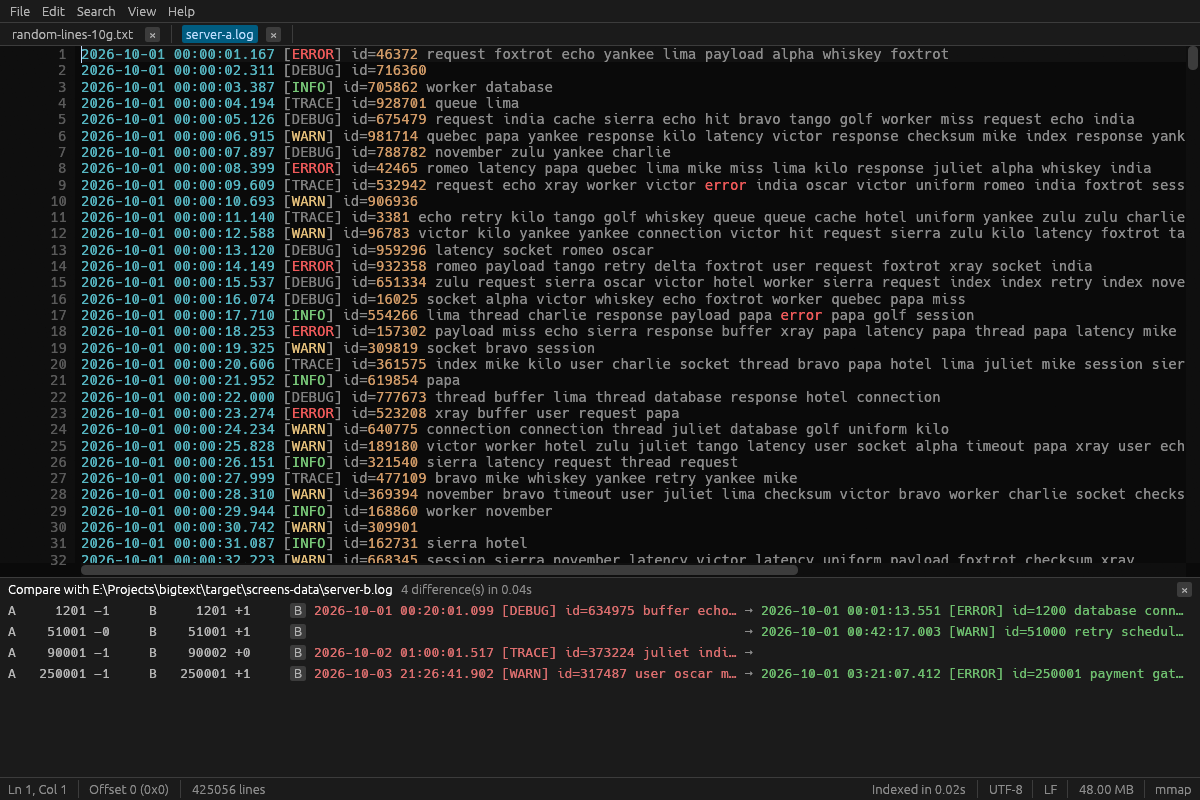
A streaming line diff of two multi-gigabyte files: 1 GB against 1 GB in 0.6 s using about 2 MB of memory. Click a difference to jump to it.
Show only the lines that match, or only those that don't, like grep over the whole file, and save them to a new file. Paint patterns such as ERROR in their own colours and see on the scrollbar where the matches cluster.
Type 14:32:05 and land on the first log line at that time: a binary search reads a few hundred kilobytes of a 50 GB log. Select lines to see the time between them.
Open .gz and .zst files directly, pipe a command into BigText (journalctl -f | bigtext -), or open app.log:120 at a line from the command line.
CSV and TSV files open as a table that scrolls as fast as text. Sort by a column, get column statistics, filter by a column, and rename, move, export or delete columns.
Sort, de-duplicate and reverse lines, change case, trim whitespace, pretty-print or minify JSON, and edit many lines at once with an Alt+drag column selection.
A command palette (Ctrl+Shift+P), shortcuts you can change, any monospaced font, and an interface in English, Russian or Uzbek.
A level bar with ERROR, WARN, INFO and DEBUG filters and F8 to the next error, a time histogram, log fields, message patterns, top values, time gaps, and the lines around each match or with the same request id.
Merge several logs by timestamp into one coloured view, or line up the open logs and scroll them together by time, with a clock skew you can set. Following survives log rotation.
A structure panel, the JSON path of the caret in the status bar, folding, JSON Lines as a table with queries, a strict check that points at the error, conversion between JSON, JSON Lines and logfmt, and a structural diff.
Group by with sums, pivot tables, a join of two files by a key, computed columns, column charts, frozen and hidden columns, row checks, and export to JSON, Markdown or Excel.
Side by side or as a unified diff, next and previous difference, ignore white space, case or timestamps, lines found in only one file, CSV compared by key, and patches applied.
Files inside zip and tar archives, .xz and .bz2 files shown while they unpack, saving straight to .gz or .zst, multiple cursors, a column editor, and sort, de-duplicate or run any command on a file of any size.
Search a whole folder with file:line results, and use bigtext-cli for count, head, tail, slice, replace, CSV tools and JSON output in scripts. Sessions, portable mode, and a second launch opens in the running window.
High-contrast and colour-blind-safe themes, interface scaling, screen reader support, zen mode, wrapping at a column with a ruler, a clickable status bar, and settings remembered for each file.
Ordinary editors read the entire file before they show anything. BigText reads only what is on screen and does everything else on background threads, so the window answers in under 3 ms.
The file is mapped in 256 MB windows and only the bytes you look at are touched. Search, indexing and saving use separate streaming reads.
One 8-byte checkpoint per 64 KB: 8 MB of index for a 50 GB file. Line positions between checkpoints are counted on demand with SIMD.
Edits are stored as small pieces over the original file, so inserting a line into a 50 GB file costs a few bytes, and undo is instant.
A temporary file next to the original, fsync, then an atomic replace (ReplaceFileW on Windows keeps attributes and permissions).
Results of the built-in benchmarks on 1 GB, 10 GB and 50 GB test files on Windows 11. The method and the full results are in the README. README
| Task | Result |
|---|---|
| Open → first screen of text (1–50 GB) | 41–46 ms |
| Jump to a line in a 50 GB file | under 1 ms |
| Build the line index | 2.2–2.7 GB/s (50 GB in about 20 s) |
| Plain-text search | 2.4–2.5 GB/s |
| Regex search | 2.3–2.8 GB/s with a literal part, 672 MB/s without |
| Replace All in a 10 GB file | 11.3 s, 46 MB peak memory |
| Memory with a 50 GB file open | 107 MB |
| Start → first frame | 159–185 ms |
Free for personal and commercial use. No account, no telemetry, one executable.
Installer with “Open with” and Explorer context-menu integration, or a portable build.
An AppImage that runs on most distributions, a .deb package for Debian and Ubuntu, or a portable .tar.gz.
BigText.app for Apple Silicon and Intel. The app is not signed: right-click → Open on first launch.
All releases and release notes
Install Rust from rustup.rs, then run:
cargo install bigtextOr build it from source:
git clone https://github.com/Erkinbek/bigtext.git
cd bigtext
cargo build --releaseInstall BigText and open the file with File → Open, by dragging it onto the window, or with right-click → “Open with BigText”. The first screen appears in about 40 ms whatever the size; scrolling and go to line work while the line index is built in the background.
No. It maps only the part on screen and streams everything else in the background. With a 50 GB file open it uses about 107 MB of RAM, most of which is the user interface itself.
Yes. Edits are kept in a piece table over the original file, so typing is instant at any size. Saving streams the result to a temporary file and replaces the original atomically, so the original is never damaged if something goes wrong.
Plain text is searched at 2.4–2.5 GB/s and typical regular expressions at 2.3–2.8 GB/s, so a 10 GB log takes about 4 seconds. F3 finds the next match immediately, without waiting for a full search.
Yes. View → Follow keeps the view at the end of the file and indexes new lines as they arrive. BigText also notices when a file changes on disk and offers to reload it.
Yes. Lines longer than 64 KB are shown as soft-broken rows, so even a single 2 GB line scrolls smoothly.
UTF-8, UTF-16 LE/BE (with or without BOM), Windows-1251, Windows-1252 and ISO-8859-1, detected automatically and switchable with File → Reopen with encoding. LF, CRLF, CR and mixed line endings are detected and can be converted on save.
BigText is free and open source under the MIT license. Windows 10 and 11 is the main, fully tested platform; Linux and macOS (Apple Silicon and Intel) builds are made and tested by CI on every change.